
Top Small Business Conferencing Tools for Canadian Companies
- Headsets for Business

- Mar 20
- 4 min read
In today’s fast-paced world, staying connected is more important than ever. Whether you’re working from home, managing a small office, or coordinating with remote teams, having the right video conferencing setup can make all the difference. But with so many options out there, how do you pick the best tools for your needs? Don’t worry - I’ve got you covered with a straightforward guide to the top small business conferencing tools that fit Canadian businesses perfectly.
Why Small Business Conferencing Tools Matter
Video calls aren’t just about seeing each other; they’re about clear communication, collaboration, and saving time. Imagine trying to discuss a project with choppy audio or blurry video - frustrating, right? Good conferencing tools help you avoid those headaches. They make meetings smoother, boost productivity, and even help build stronger relationships with clients and colleagues.
For small businesses, the right equipment doesn’t have to break the bank. It just needs to be reliable, easy to use, and suited to your space. Whether you’re in a cozy office or a home setup, the right gear can transform your virtual meetings.
Essential Small Business Conferencing Tools You Need
Let’s break down the must-have equipment for effective video conferencing. I’ll explain what each item does and why it’s important.
1. Quality Webcam
Your webcam is your window to the world. A clear, sharp image helps people feel more connected. Look for webcams that offer at least 1080p resolution. Some models even have built-in microphones and automatic light correction, which is handy if your room lighting isn’t perfect.
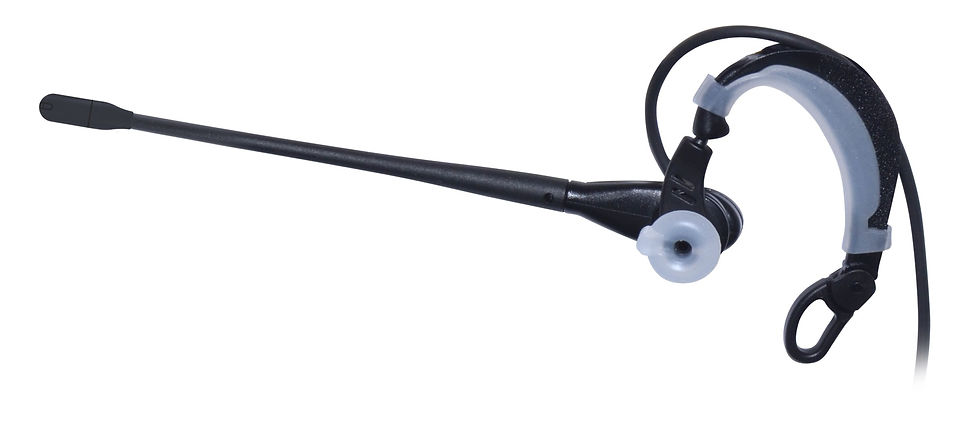
2. Headsets with Microphones
Sound quality is just as important as video. A good headset with a noise-cancelling microphone ensures your voice comes through loud and clear, without background noise. This is especially useful if you’re in a busy or noisy environment.
3. Speakers or Soundbars
If you prefer not to use a headset, a quality speaker or soundbar can improve audio clarity. This is great for group meetings where multiple people are in the same room.
4. Conference Cameras
For small meeting rooms, conference cameras with wide-angle lenses and pan-tilt-zoom features capture everyone in the room. These cameras often come with integrated microphones and speakers, making them an all-in-one solution.
5. Lighting
Good lighting can make a huge difference in how you appear on camera. Simple ring lights or LED panels can brighten your face and reduce shadows, making your video look professional.

How to Choose the Right Equipment for Your Space
Every business space is unique. Here’s how to pick the right tools based on your setup:
Home Office: A compact webcam and a comfortable headset are usually enough. Add a ring light if your room is dim.
Small Meeting Room: Consider a conference camera with built-in audio. Pair it with a speakerphone for clear sound.
Hybrid Spaces: If some team members are remote and others are in the office, invest in flexible equipment that works well for both scenarios.
Don’t forget to check compatibility with your preferred video conferencing software. Most tools work well with popular platforms like Zoom, Microsoft Teams, and Google Meet.
Setting Up Your Video Conferencing Space for Success
Once you have your equipment, setting it up right is key. Here are some quick tips:
Position your webcam at eye level for the most natural view.
Use a headset or microphone close to your mouth to reduce background noise.
Test your lighting before meetings to avoid shadows or glare.
Keep your background tidy and professional.
Check your internet connection speed to avoid lag.
These small adjustments can make a big difference in how you come across on video calls.

Where to Find Reliable Video Conferencing Equipment in Canada
If you’re ready to upgrade your setup, consider shopping from providers who specialize in communication tools for businesses. They often offer expert advice and products tailored to your needs. For example, you can explore a wide range of video conferencing equipment for small business that balances quality and affordability.
Remember, investing in the right tools now saves you time and frustration later. Plus, it helps your team communicate clearly and work more efficiently.
Making the Most of Your Video Conferencing Tools
Having great equipment is just the start. To get the best results:
Schedule regular test calls to familiarize yourself with the gear.
Encourage everyone to mute when not speaking to reduce noise.
Use features like screen sharing and chat to enhance collaboration.
Keep your software updated for security and performance.
By combining the right tools with good habits, your virtual meetings will feel just as productive as in-person ones.
Choosing the right small business conferencing tools doesn’t have to be complicated. With the right webcam, headset, and a few smart accessories, you can create a professional video conferencing experience that fits your budget and space. So why wait? Start upgrading your setup today and enjoy clearer, smoother communication tomorrow!


Comments