
Choosing the Perfect Office Headsets for Your Workspace
- Headsets for Business

- Feb 24
- 4 min read
When it comes to setting up a productive workspace, clear communication is key. Whether you're managing a busy call centre, coordinating with remote teams, or running a classroom, the right office headset can make all the difference. But with so many options out there, how do you pick the perfect one? Let’s dive into what makes a headset ideal for your workspace and explore some tips for choosing the right headset.
Why Choosing the Right Headset Matters
Have you ever struggled to hear a colleague during an important call? Or maybe background noise made it impossible to focus? That’s where a quality office headset steps in. It’s not just about hearing and being heard—it’s about comfort, durability, and features that fit your daily needs.
A good headset helps reduce distractions, improves call clarity, and even boosts your overall productivity. Plus, when you’re comfortable, you can wear it for hours without fatigue. Imagine how much smoother your workday could be with the right gear!
What to Look for in Headsets
Choosing the perfect headset means balancing several factors. Here’s what I always consider:
1. Sound Quality and Noise Cancellation
Clear audio is non-negotiable. Look for headsets with noise-cancelling microphones that block out background noise. This is especially important in busy offices or shared spaces. Active noise cancellation (ANC) on the earcups can also help you focus by reducing ambient sounds.
2. Comfort and Fit
You’ll want a headset that feels light and comfortable. Adjustable headbands, cushioned ear pads, and breathable materials make a big difference. Over-ear designs often provide better comfort for long hours, but some prefer on-ear or in-ear styles for their compactness.
3. Connectivity Options
Do you need wireless freedom or prefer wired reliability? Wireless headsets offer mobility but require charging. Wired headsets are plug-and-play and never run out of battery. Some models support both, giving you flexibility.
4. Compatibility
Make sure the headset works seamlessly with your devices—whether it’s a PC, Mac, smartphone, or VoIP system. USB, Bluetooth, and 3.5mm jack compatibility are common options.
5. Durability and Warranty
A sturdy build means your headset will last through daily use. Check for warranties and customer support to protect your investment.
Exploring Popular Headset Types for Workspaces
Different work environments call for different headset styles. Here’s a quick guide to help you decide:
Wired Headsets
Wired headsets are reliable and usually more affordable. They’re perfect for desks where mobility isn’t a priority. Plus, they don’t need charging, so you can use them all day without interruption.
Wireless Headsets
Wireless models offer freedom to move around. Ideal for multitasking or standing desks, they connect via Bluetooth/DECT or dedicated USB dongles. Just remember to keep them charged!
Mono vs. Stereo
Mono headsets have one earcup, keeping one ear free to hear your surroundings. Great for busy offices or when you need situational awareness. Stereo headsets cover both ears, providing immersive sound and better noise isolation.
Specialized Headsets
Some headsets come with extra features like voice commands, multipoint connectivity (connect to multiple devices), or customizable sound profiles. These can be game-changers depending on your workflow.

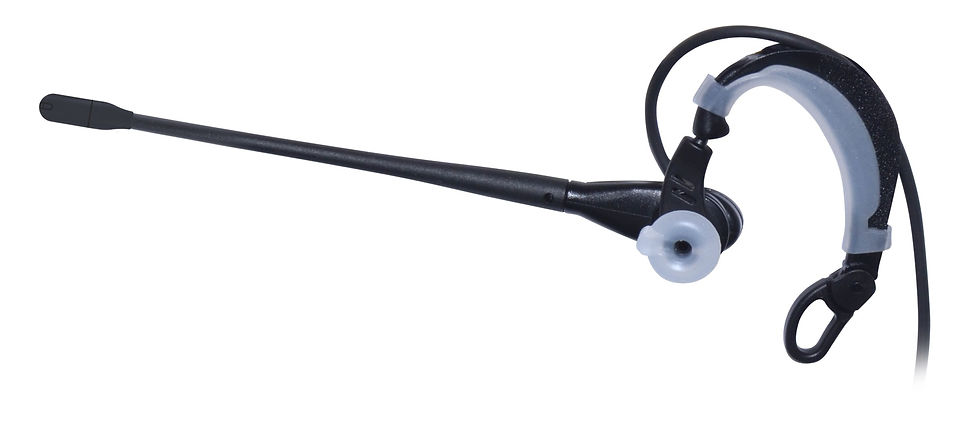
Wireless office headset designed for comfort and clear communication
How to Choose the Best Headset for Your Workspace Needs
Now that you know what’s out there, how do you pick the best one? Here’s a simple step-by-step approach:
Assess Your Environment
Is your workspace noisy or quiet? Do you need to move around or stay put? This helps decide between noise cancellation and wireless options.
Consider Your Usage
How many hours a day will you wear the headset? For long calls, comfort is crucial.
Check Device Compatibility
Confirm the headset works with your computer, phone, or other devices.
Set a Budget
Headsets come in a wide price range. Decide what features are must-haves and what you can skip.
Read Reviews and Test If Possible
User feedback can reveal real-world pros and cons. If you can, try the headset before buying.
If you’re looking for a reliable place to find a variety of options, check out Headsets4Business.ca for a great selection tailored to your business needs.
Tips for Maintaining Your Office Headsets
Once you’ve picked your perfect headset, keeping it in good shape is easy with a few simple habits:
Clean regularly with a soft cloth and mild disinfectant, especially ear pads and microphones.
Store properly in a case or on a stand to avoid damage.
Charge wireless models before they run out to avoid interruptions.
Replace ear cushions when they wear out to maintain comfort and hygiene.
Taking care of your headset means it will serve you well for years.

Organized office desk featuring a headset on a stand for easy access and care
Making Communication Clear and Comfortable
Choosing the right office headset is more than just picking a gadget. It’s about enhancing communication, reducing stress, and creating a workspace where everyone can perform their best. Whether you’re handling customer calls, teaching online, or collaborating with a team, the right headset is your trusty sidekick.
Remember, investing in quality headsets is investing in your workspace’s success. So why wait? Explore your options, consider your needs, and find the perfect fit for your workspace today. Clear calls and comfortable wear are just a headset away!


Comments