
Barco ClickShare: A Wireless Meeting Presentation Systems Overview

In today’s fast-paced world, the way we share ideas and information during meetings has evolved dramatically. No one wants to fuss with cables or struggle with compatibility issues anymore. That’s where wireless meeting presentation systems come in, making collaboration smoother and more efficient. One standout solution I’ve come across is the Barco ClickShare. It’s designed to simplify presentations and boost productivity, whether you’re in a boardroom, classroom, or remote workspace.
Let’s dive into what makes this system a game-changer and how it can transform your meeting experience.
Why Wireless Meeting Presentation Systems Are a Must-Have
Have you ever been in a meeting where everyone’s scrambling to connect their laptops to the projector? It’s frustrating, right? Wireless meeting presentation systems eliminate that hassle by allowing multiple users to share content seamlessly without cables.
Here’s why these systems are essential:
Ease of Use: No more hunting for the right cable or adapter.
Time-Saving: Quick setup means meetings start on time.
Flexibility: Compatible with various devices and platforms.
Collaboration: Multiple participants can share content effortlessly.
Professionalism: Clean, cable-free setups look modern and organized.
The Barco ClickShare fits perfectly into this category. It’s designed to be intuitive and reliable, helping teams focus on what matters most - the content and discussion.

What Makes Barco ClickShare Stand Out?
You might wonder, with so many options out there, why choose Barco ClickShare? From my experience, it’s the combination of simplicity, security, and versatility that sets it apart.
Simple Plug-and-Play
Barco ClickShare uses a small USB or USB-C button that you plug into your laptop. With a single click, your screen is shared wirelessly to the main display. No complicated software installations or network configurations needed. It’s that straightforward.
Works with Any Device
Whether you’re using a Windows PC, Mac, or even a mobile device, Barco ClickShare supports it. This cross-platform compatibility means everyone can participate without worrying about device restrictions.
Secure and Reliable
Security is a top priority, especially for sensitive meetings. Barco ClickShare encrypts the connection, ensuring your data stays safe. Plus, it operates on a dedicated wireless network, reducing interference and connection drops.
Scalable for Any Room Size
From small huddle rooms to large auditoriums, Barco ClickShare adapts. You can connect multiple presenters and even share content from smartphones or tablets using the ClickShare app.
Integration with Existing AV Systems
If your meeting room already has AV equipment, Barco ClickShare can integrate smoothly without requiring a complete overhaul. This flexibility saves costs and minimizes disruption.

How to Use Presenter Mode with ClickShare?
One feature I find particularly useful is the Presenter Mode. It gives you more control over what you share and how you present.
Here’s how to get started:
Connect the ClickShare Button: Plug the button into your laptop’s USB or USB-C port.
Launch Presenter Mode: Click the button twice quickly to activate Presenter Mode.
Control Your Presentation: You’ll see a preview of your screen on your device, allowing you to choose which window or application to share.
Switch Between Presenters: If multiple people are connected, Presenter Mode lets you switch smoothly without interrupting the flow.
Use the ClickShare App: For mobile devices, the app offers similar control, including annotation tools and remote mouse functions.
Presenter Mode is perfect when you want to keep your desktop private or focus the audience’s attention on specific content. It’s a small feature that makes a big difference in professional presentations.
Practical Tips for Getting the Most Out of Barco ClickShare
To ensure your meetings run flawlessly, here are some actionable recommendations:
Test Before the Meeting: Always do a quick test to confirm the ClickShare button connects properly.
Keep Firmware Updated: Barco regularly releases updates that improve performance and security.
Use the Dedicated Network: For best results, connect the ClickShare base unit to a dedicated network separate from your office Wi-Fi.
Train Your Team: A brief demo can help everyone feel comfortable using the system.
Leverage Multi-User Sharing: Encourage participants to share content without delays by using multiple buttons or the app.
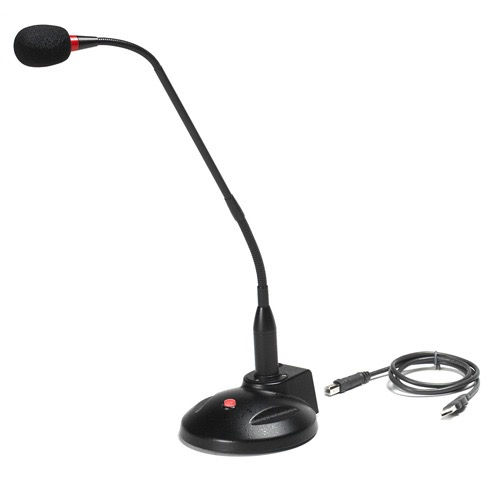
Combine with Quality Audio: Pair ClickShare with reliable headsets or microphones for crystal-clear communication.
By following these tips, you’ll avoid common pitfalls and make your meetings more productive and engaging.
Why Investing in a Wireless Presentation System Makes Sense
If you’re still on the fence about upgrading your meeting rooms, consider the benefits beyond just convenience:
Boosts Engagement: When sharing is easy, people participate more actively.
Saves Time: Less setup means more time for meaningful discussion.
Supports Hybrid Work: Wireless systems integrate well with remote collaboration tools.
Future-Proofs Your Space: Technology evolves fast, and wireless solutions keep you ready for new trends.
Enhances Professional Image: Sleek, modern meeting rooms impress clients and partners.
For organizations aiming to improve communication and productivity, investing in a reliable wireless meeting presentation system like the barco clickshare wireless presentation system is a smart move.
Wireless meeting presentation systems are no longer a luxury - they’re a necessity. Barco ClickShare offers a user-friendly, secure, and versatile solution that fits a wide range of environments. Whether you’re presenting in a classroom, boardroom, or virtual meeting, it helps you focus on what really matters - your message.
Ready to ditch the cables and upgrade your meetings? Barco ClickShare might just be the tool you’ve been looking for.
Need help deciding which model will work best for you, please contact us at hello@headsets4business.ca


Comments